Tools don’t build links. You need people and relationships for that. But the right software can make the work faster and more repeatable, offering cleaner outreach, safer decisions, and reporting that your clients (or CFO) won’t side-eye.
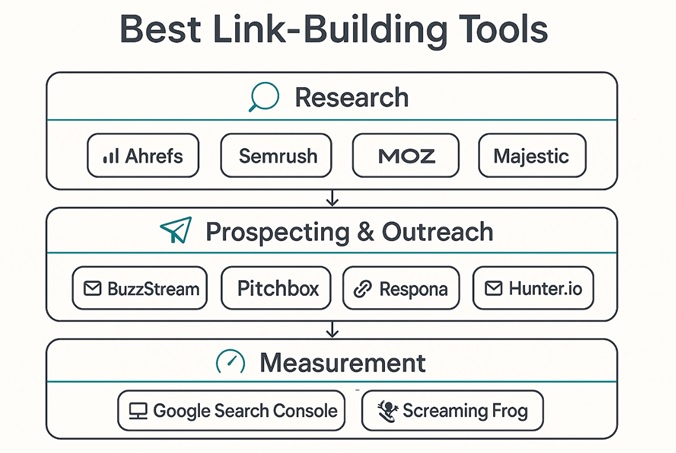
The good news is you don’t need dozens of apps to build a durable backlink pipeline. You need a tight stack that helps you find and vet prospects fast, reach out to them effectively, and measure what actually moves rankings.
That’s easier said than done, though. Studies have shown response rates are modest unless your pitch is genuinely useful and personalized, which is why good tools that keep you focused are worth their subscription fee.
Below is a list of tools our team recommends after dozens of campaigns and a lot of testing. Along the way, we’ll also present some current industry research and Google’s official guidelines on the topic, so you’re not bumbling around in the dark.
Source: ChatGPT
Best Link Building Tools – Shortlist
Our go-to core stack includes:
- Ahrefs
- Semrush
- Moz Pro (Link Explorer)
- Majestic
- Screaming Frog SEO Spider
- Google Search Console
- BuzzStream
- Pitchbox
- Respona
- Hunter.io
We’ll expand on each shortly, but this set covers discovery, qualification, cold email outreach, and monitoring end-to-end, so it’s all you’ll ever need and more. For now, here’s a quick comparison of these tools at a glance, showing what they’re designed for and where they shine/struggle:
| Tool | Core job | Where it shines | Where it struggles | Best for | Pricing snapshot |
|---|---|---|---|---|---|
| Ahrefs | Prospecting and competitive link intel | Fast index, strong link metrics, “best by links,” and Content Explorer | Pricing can be premium for small teams | Agencies and growth teams | Paid; trial options vary |
| Semrush | All-in-one SEO + link gap analysis | Link Gap, Keyword + PR monitoring in one | Can feel heavy if you only need links | In-house SEOs who want one suite | Paid; trial available |
| Moz Pro (Link Explorer) | Link metrics and anchor text analysis | DA/PA familiarity, clean UI | Index smaller than Ahrefs/Majestic in some niches | Teams that report to non-SEOs | Paid; trial available |
| Majestic | Pure link graph analysis | Trust Flow/Topic Flow; historical link maps | UI feels dated; learning curve | Deep link audits | Paid; limited free data |
| Screaming Frog | Technical crawl to uncover internal link wins | Find orphan pages, fix anchor/text patterns | Not an outreach tool | Technical SEOs, site owners | Desktop app; license fee |
| Google Search Console | Measure what Google sees | Impressions/clicks and link sample direct from Google | Limited link export; sampling | Everyone | Free |
| BuzzStream | Relationship-first outreach CRM | Keep conversations human and organized | Setup takes intention | Relationship outreach at scale | Paid; trial available |
| Pitchbox | Automated outreach workflows | Solid templating, approvals, team workflows | Overkill for tiny teams | Agencies with volume | Paid; demo/trial |
| Respona | Research + outreach in one | Finds authors/emails from SERP and news | Newer than incumbents | Lean in-house teams | Paid; trial |
| Hunter.io | Accurate email discovery/verification | Domain search, pattern guessing, verification | Not a CRM | Finding the right inbox | Freemium; paid tiers |
You’ll perhaps notice that we haven’t included exact prices here, and that’s because vendors change plans frequently, plus pricing often varies based on region.
Best Link Building Tools in 2026 – Reviewed
Below, we’ll cover what each tool actually does for link builders, the workflows it unlocks, and the trade-offs.
1. Ahrefs
Source: Ahrefs
Ahrefs is our default starting point for campaign planning. It’s fast, the link index is broad, and reports like Best by Links, Link Intersect, and Site Explorer make it easy to find replicable patterns. For example, you can spot which resource pages consistently link to guides like yours, or which broken links on authoritative domains could be reclaimed with a fresh replacement. Ahrefs is very useful for all industries, such as eCommerce stores, SaaS brands, and law firms.
Where it shines is speed from question to shortlist. Drop in three competitors, run Link Intersect, filter to “one or more targets,” and you’ve got a queue of domains that link to your space but not you. Pair that with Content Explorer to find journalists and authors who covered your topic within the last six months, then move them into your outreach CRM.
Keep in mind, though, that Ahrefs is premium software. If you only need a handful of link reports each month, you may find a lighter combo cheaper. But for teams like ours, that live in link data, the time saved adds up.
Pros:
- Broad index
- Intuitive link reports
- Fast filtering
Cons:
- Cost for small budgets
- Can tempt teams to chase every link
2. Semrush
Source: Semrush
Semrush is an all-in-one suite, and that’s its superpower. You can jump from Backlink Gap to Brand Monitoring to PR mentions without leaving the platform. If you’re an in-house team juggling rankings and content ideas, consolidating your workflow here can keep everyone on the same page.
Its Backlink Gap is the closest analog to Ahrefs’ Link Intersect. The bonus is how easily you can marry link gaps with keyword priorities so you’re earning links that support a revenue-relevant cluster rather than vanity URLs. For comms teams, the Media Monitoring modules help you spot unlinked mentions for quick wins.
Where it can frustrate is complexity. If you only care about link data and outreach, Semrush may feel heavy. But if you’re running the whole SEO/PR stack in one place, it’s hard to beat the breadth.
Pros:
- All-in-one convenience
- Link gap + monitoring in one view
Cons:
- Can be overkill for link-only workflows
- Onboarding time
3. Moz Pro (Link Explorer)
Source: Moz
Moz’s strength is clarity. Link Explorer makes it easy to explain link quality to non-SEOs, and Domain Authority/Page Authority, while not Google metrics, are familiar to stakeholders. That shared vocabulary can save you time in reporting and approvals.
For practical work, Moz’s Anchor Text and Spam Score views are helpful for quick hygiene checks. We like it in mixed environments where content and SEO need a simple, credible snapshot without diving into advanced filters.
Pros:
- Approachable UI
- DA/PA familiarity for stakeholders
Cons:
- Smaller index than some rivals in certain niches
- Fewer deep-dive reports
4. Majestic
Source: Majestic
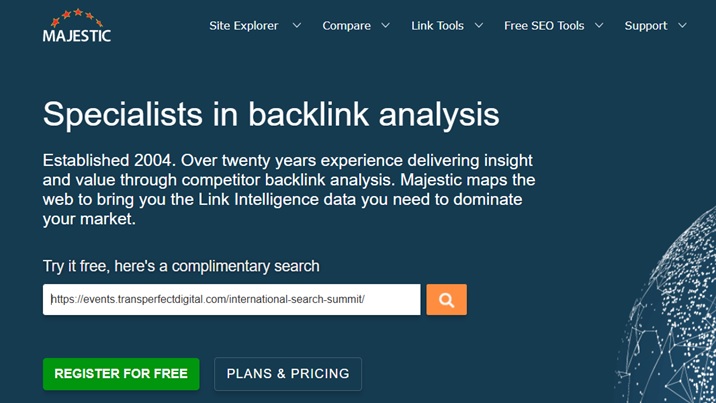
Majestic is for people who enjoy x-raying the web’s link graph. Trust Flow and Topical Trust Flow help you judge not just authority but topical relevance, which is critical for earning links that actually help. If you’re working in YMYL/finance/health niches, that topical lens is invaluable.
It’s not the friendliest UI, and it takes time to master. But when you need to validate whether a link neighborhood is healthy before you pitch, Majestic pays for itself by preventing mistakes.
Pros:
- Deep link graph views
- Topical context
Cons:
- Dated UI
- Learning curve
5. Screaming Frog SEO Spider
Source: Screaming Frog
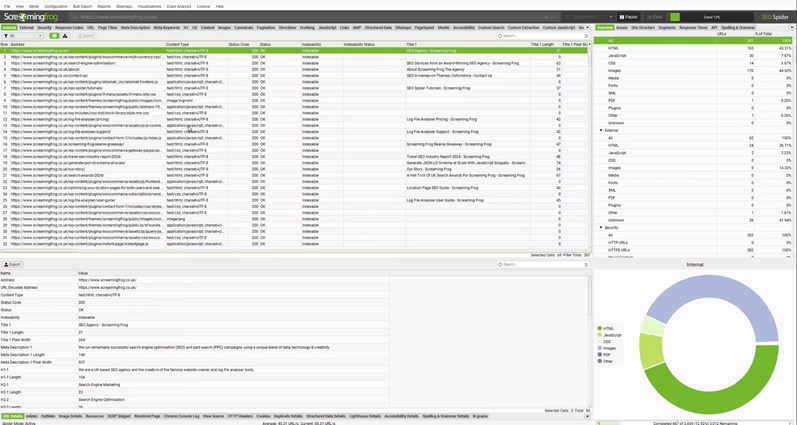
Screaming Frog isn’t a “link building tool” in the outreach sense, but it’s a link multiplier. It crawls your site like a search engine, exposing internal link gaps that quietly cap your rankings. Find orphan pages, surface pages with thin internal links, and fix anchor patterns so your best content gets discovered and trusted.
You can sort by pages with few or zero internal links, then add contextual links from relevant evergreen posts to see faster indexing and steadier rankings, especially on supporting pages.
If you’ve ever wondered why a great guide languishes on page two, nine times out of ten, it’s an internal link problem you can prove and fix in an afternoon.
Pros:
- Forensic visibility into internal links and orphan pages
Cons:
- Desktop app with a learning curve
6. Google Search Console (GSC)
Source: Google
GSC serves to show you what Google actually sees. The Links report shows a sample of external and internal links, which is perfect for making sure that your cornerstone pages are getting enough internal support. Use it to prioritize internal link fixes you discovered in Screaming Frog, then confirm impact in Performance by tracking impressions and clicks for affected URLs.
Remember that the links report is sampled, not exhaustive. That’s fine, because you’re looking for directional evidence, not audit-grade completeness. When stakeholders ask for “proof,” show the before/after internal link counts in GSC and the corresponding improvement in impressions.
Pros:
- Free and official
- Great for validating progress
Cons:
- Link data is sampled
- Exports are limited
7. BuzzStream
Source: BuzzStream
BuzzStream centralizes contacts and statuses so you don’t lose context across a dozen inboxes. This gives you better organization, easier personalization, and less duplication when multiple teammates touch the same prospect list.
To start, import a shortlist from Ahrefs or Semrush, enrich with site/about page notes, and write two value-forward templates. Then use BuzzStream’s tracking to identify who is opening but not replying. For those, send a short follow-up with one new concrete angle. The 8.5% average reply rate means the second touch often doubles your chances if you just trust the process.
Pros:
- Relationship memory
- Pipeline clarity
- Collaboration
Cons:
- Onboarding takes intent
- Urge to over-template
8. Pitchbox
Source: Pitchbox
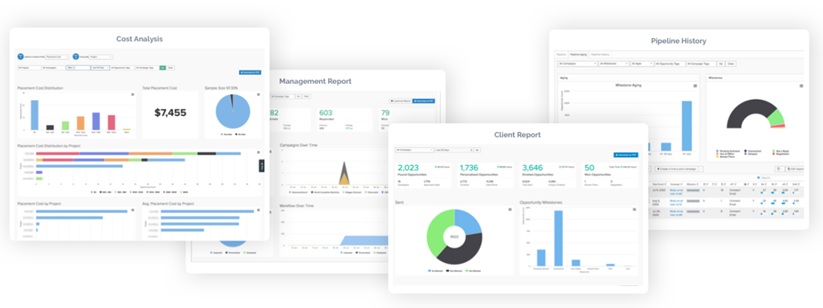
If BuzzStream is the relationship hub, Pitchbox is the operations engine. It shines when you have to standardize workflows across a team with campaign stages, approval steps, templates with variables, and reporting that lets managers spot bottlenecks. The approval workflow alone can raise quality by forcing a quick human review before anything leaves the building.
Deliverability matters as much as copy, and Pitchbox’s reply tracking and mailbox tooling help you keep sender reputation healthy, but you’ll still want to layer on verification and list hygiene for bigger campaigns.
Pros:
- Workflow scalability
Cons:
- Can feel heavy for tiny teams
- Cost only makes sense at volume
9. Respona
Source: Respona
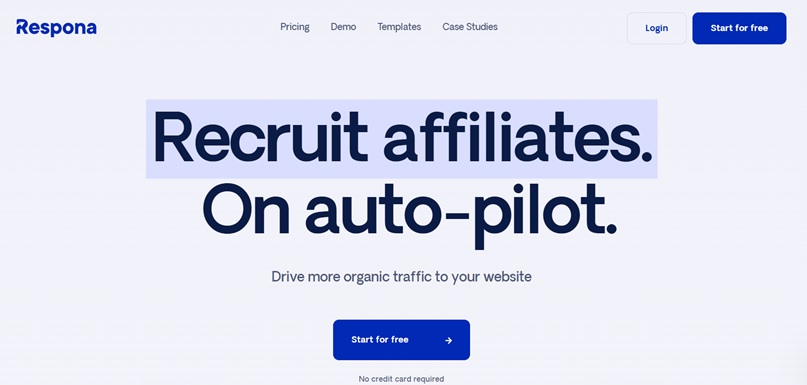
Respona bundles research and outreach under one roof. You can discover prospects from live SERPs or news, pull author names, find emails, and send personalized sequences without swapping tabs. For lean in-house teams or solo operators, that all-in-one flow removes a ton of friction.
In practice, we like Respona for timely campaigns. For example, let’s say a new study drops in your niche. You can spin up a SERP search for fresh coverage, sort by recency and topical match, pull likely authors, verify emails, and pitch a unique dataset or expert angle while the topic is hot.
Pros:
- Fast prospect-to-pitch loop
- Solid email finding
Cons:
- Newer ecosystem
- Not fit for deep enterprise governance
10. Hunter.io
Source: Hunter.io
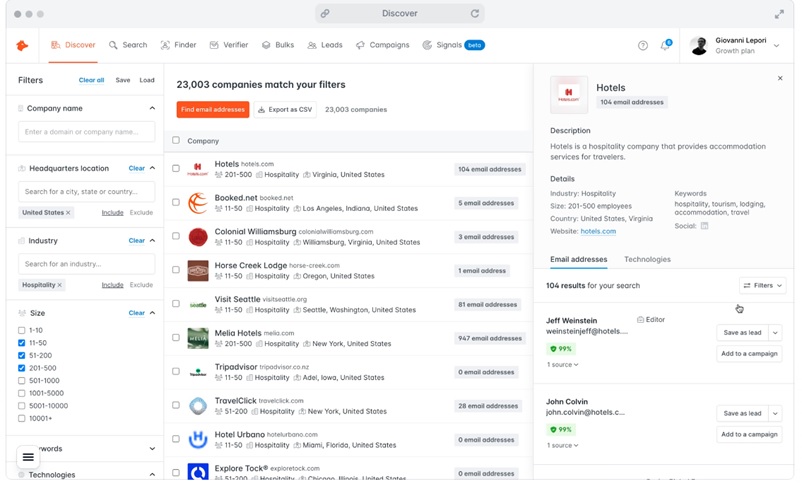
Hunter is our default for email discovery and verification. It returns likely addresses with a confidence score and, when available, the public sources where an address was found. Use it to reduce bounces and to choose the right email pattern before you personalize.
A small but mighty habit is to run your first-touch list through email verification and remove anything risky. Then keep sender reputation healthy with a slow ramp, especially if you’re using a fresh mailbox. Good outreach is cumulative, while burned inboxes cost months.
Pros:
- Reliable discovery
- Verification API
- Generous documentation
Cons:
- Not a CRM
- Not a full-fledged outreach platform
Honorable mention: Journalist request platforms
Earning editorial links through expert quotes still works, as long as you genuinely add value. The landscape changed, though.
Cision discontinued Connectively in December 2024, then sold HARO to Featured.com in April 2025. In parallel, Qwoted has grown into a credible alternative with in-platform pitching and discovery.
Operationally, these need to be treated as PR, not link swaps. Set up alerts around your topics, pre-write tight bios, and prepare quotable, data-backed answers.
Platforms like Qwoted even highlight journalist coverage areas and allow direct DMs, which speeds up relevance and fit. Your win rate rises when your answer includes a fresh stat or a unique process detail.
Pros:
- High-authority
- Editorially earned links
- Brand credibility
Cons:
- Competitive
- Demands real expertise and fast turnaround
How We Decided on These Tools
We are heavily biased toward tools that reduce busywork and increase earned relevance. To keep this honest, we scored each tool against a simple criterion we use on real campaigns:
| Criterion | Weight | What we looked for |
|---|---|---|
| Data quality and freshness | 30% | Size/freshness of link index, discovery speed, topical context |
| Workflow speed | 20% | Time from question to shortlist, and from shortlist to first pitch |
| Outreach outcomes | 20% | Features that drive genuine replies (personalization, follow-up control) |
| Measurement clarity | 15% | Matching what Google actually shows and cares about |
| Cost vs. team size | 10% | Whether a tool scales down or only pays off at volume |
| Governance and compliance | 5% | Guardrails that keep you on the right side of Google’s policies |
We weighted discovery heavily because, as we talked about in one of our previous articles, most pages never earn search traffic without links, so finding credible prospects fast is key.
For measurement clarity, we bias toward what’s visible in Google Search Console (GSC) and what Google documents publicly about ranking systems and spam policies. If a tool’s wins don’t show up in GSC’s Performance or align with Google’s ranking systems guidance, I treat them as vanity.
Conclusion
You don’t need a ton of link building tools. A few really good ones will do the trick for most teams. For us at Tlinks, this is what helps us in our processes.
Use a research workhorse (Ahrefs/Semrush), a technical scout (Screaming Frog), some control from the source (GSC), and an outreach hub that nudges you toward helpful emails. These will increase your link building productivity.
The stack above exists to remove friction so you can spend your time crafting useful pages, coming up with timely ideas, and having respectful conversations. If you want help mapping this to your goals, reach out and one of our team members will help you out!